
PDF files are scanned documents and something virtually print docs. They can contain sensitive information like Author Name, Date, PC Details, etc. Also, some scanned documents contain financial or confidential information. PDF Redaction is a way to remove all important sensitive information from the document before sharing it via email or by any other means. This process removes all important/confidential information from a scanned document along with its metadata.
How To Redact A PDF File?
There are two ways to redact a PDF file, the first is via Adobe Acrobat Reader and the second is via an online website. Both methods are listed below.
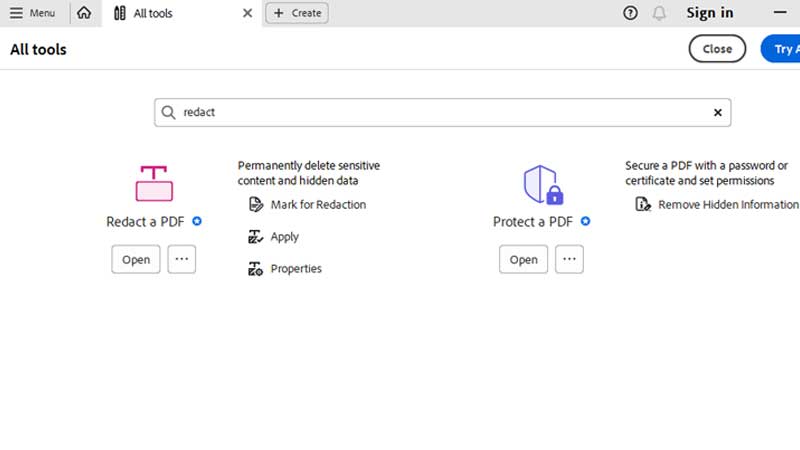
Method 1: Adobe Acrobat Reader
- Download & Launch Adobe Acrobat Reader
- Click on Tools > Redact
- Use the Crosshair to draw rectangles over sensitive information.
- You can change the color of the black box via Redaction Tool Properties.
The problem with Adobe Acrobat Reader is that this is part of the paid version, so if you are using the free one you cannot use it. Anyhow if you have a paid plan then there are many tools like securing a PDF file certificate or via permission is also available.
Method 2: Via Online websites
There are lots of online sites that offer free PDF Redaction, which requires you to upload the file. If you are not confident enough you can skip and check out the other one. The online site that we are going to use is xodo.com.
- Open xodo.com/redact-pdf link.
- Move your cursor over the sensitive information and just outline it using the mouse click.
- The tool will put a black box over it, hiding the sensitive data.
The information will be only visible to you. By creating an account on Xodo.com you can access your documents anytime. The site also has a pro version, where you will have no restriction in using PDF Redaction.
What Type of Information Can Be Stored In A PDF File?
Below is the list of things that a PDF document can store, and this will help you understand why PDF Redaction is necessary before sharing the file.
- Credit Card Numbers
- Social Security Numbers
- Address
- Financial Records
- Bank Account Numbers
- Author Data
- Financial Transaction Data
- Legal Data
- Government-Related Ddata
These are just some types of info that a PDF file can hold, there can be more depending on its usage. For example, a Bank Statement or a Credit Card Statement does have a lot of sensitive information. This is where PDF Redaction becomes an important process for a user who does not want to share any sensitive or confidential details.